⚡ Verified Live Data
Silent Fanless NAS Comparison: Synology DS423 vs QNAP TS-464 for Home Media & Time Machine
Last updated: 2026-10-14
System Compatibility Verdict: Both the Synology DS423 and QNAP TS-464 are complete, standalone NAS units that can serve as silent fanless servers for home media archives and Time Machine backups; the DS423 offers a lower entry price while the TS-464 provides higher performance at a premium, so choose based on required capacity and budget.
The Synology DS423 delivers the best value for users needing an affordable, quiet NAS for basic media storage and backup, while the QNAP TS-464 justifies its higher cost with potentially stronger hardware and expandability for power users.
🏆 Best Overall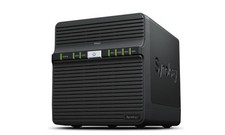
Synology DiskStation DS423 NAS/storage server Ethernet LAN Black RTD1619B (Synology)
Price£447.02
ConditionNew
Seller Rating100.0%
CategoryNAS Disk Arrays
⚡ Best Value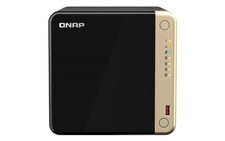
QNAP TS-464 NAS Tower Ethernet LAN Black N5095 (QNAP)
Price£784.27
ConditionNew
Seller Rating100.0%
CategoryNAS Disk Arrays
Key Tradeoffs & Pros/Cons
Synology DS423
- Pros: Lower price, solid Synology DSM ecosystem, good for basic media and backup.
- Cons: May have fewer CPU cores and less RAM compared to higher‑end models.
QNAP TS-464
- Pros: Higher performance CPU, potentially more RAM, richer app ecosystem for advanced users.
- Cons: Higher cost, may consume more power despite fanless design.
Who Should Buy Which
- Buy Synology DS423 if you prioritize cost efficiency, need a quiet NAS for moderate media libraries, and prefer Synology's user‑friendly interface.
- Buy QNAP TS-464 if you require extra processing power for transcoding, larger storage capacity, or advanced virtualization features and are willing to invest more.
Frequently Asked Questions
- Are these NAS devices truly fanless?
Both listed models are marketed as fanless, providing silent operation suitable for home environments. - Can I use Time Machine with either unit?
Yes, both Synology DSM and QNAP QTS support Apple Time Machine backup out of the box. - Do I need to purchase hard drives separately?
The listings are for the NAS chassis only; you will need to add compatible drives for storage.