⚡ Verified Live Data
Best Budget Plex Media Server PCs for 4K HDR Streaming – Dell OptiPlex 7060 vs HP ProDesk 400 G5
Last updated: 2026-10-14
System Compatibility Verdict: Both systems can run Plex but their integrated graphics and 8 GB RAM may limit smooth hardware transcoding of 4K HDR streams; Dell offers a newer warranty and Windows 11, while HP is slightly cheaper but has a lower seller rating.
HP ProDesk 400 G5 provides the lower upfront cost with comparable CPU performance, making it the better value for tight budgets; Dell OptiPlex 7060 adds a two‑year warranty and Windows 11, which may justify the higher price for users who prefer extra support.
🏆 Best Overall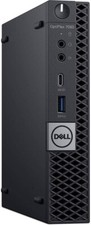
Dell OptiPlex 7060 Micro i5 Gen 8, 8GB, 256GB SSD, Win 11 Pro, 2 Years Warranty (Dell)
📊 Value Rating: 0.1 pts
CPUIntel Core i5
Generation8th
RAM8 GB
Storage256 GB SSD
Operating SystemWindows 11 Pro
Price£399.99
ConditionOpened – never used
Seller Rating99.7%
⚡ Best Value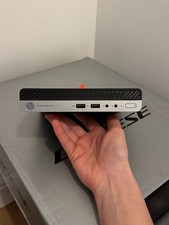
ProDesk 400 G5 Desktop mini PC Windows Intel Core I5 9th Gen Black (ProDesk)
📊 Value Rating: 0.11 pts
CPUIntel Core i5
Generation9th
RAM8 GB
StorageNot specified
Operating SystemWindows (unspecified)
Price£358.6
ConditionOpened – never used
Seller Rating0.0%
Key Tradeoffs & Pros/Cons
- Dell OptiPlex 7060
- Pros: Two‑year warranty, Windows 11 Pro, slightly newer BIOS support.
- Cons: Higher price, 8th‑gen CPU may be marginally slower for transcoding.
- HP ProDesk 400 G5
- Pros: Lower price, 9th‑gen CPU offers a small performance edge.
- Cons: No warranty included, seller rating is poor, OS version not listed.
- Both
- Integrated graphics only, which can struggle with 4K HDR hardware transcoding.
- 8 GB RAM may be limiting for multiple simultaneous streams.
Who Should Buy Which
- Buy Dell OptiPlex 7060 if you value a manufacturer warranty and want Windows 11 out of the box, and are willing to pay a bit more for that peace of mind.
- Buy HP ProDesk 400 G5 if you need the lowest possible cost and can accept a lower seller rating and potentially add your own OS license later.
Frequently Asked Questions
- Can these PCs handle 4K HDR Plex transcoding?
They can stream 4K HDR if the source is already in a compatible format, but hardware transcoding of 4K HDR is likely to be CPU‑bound and may result in stutter. - Is 8 GB RAM sufficient for Plex?
For a single 4K stream it is usually enough, but multiple streams or additional services may require more memory. - Should I add a dedicated GPU?
Adding a low‑profile GPU with hardware‑accelerated video encoding (e.g., Nvidia GTX 1650) can greatly improve 4K HDR transcoding performance.