⚡ Verified Live Data
Lenovo ThinkPad X1 Carbon vs Dell XPS 13 – Best Linux Engineering Laptop
Last updated: 2026-10-14
System Compatibility Verdict: Both laptops run Linux well; the ThinkPad offers more RAM and storage for heavy terminal workloads, while the Dell provides a solid budget option that may hit memory limits on very large builds.
The ThinkPad costs £1899 but delivers 32 GB RAM, 1 TB SSD and an OLED display, making it ideal for power users who need maximum performance. The Dell at £832.9 offers 16 GB RAM and 512 GB SSD, delivering good performance for most engineering tasks at a much lower price, giving better price‑to‑performance for moderate workloads.
🏆 Best Overall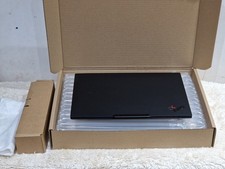
ThinkPad X1 Carbon Gen 13 Aura Edition - Ultra7 268V - 32GB RAM - 1TB SSD - OLED (ThinkPad)
Price (GBP)£1899.0
CPUIntel Ultra 7 268V
RAM32 GB
Storage1 TB SSD
Display13.3" OLED
ConditionOpened – never used
Seller Rating100.0%
⚡ Best Value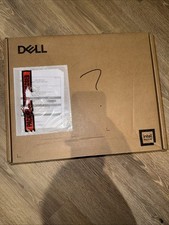
NEW Sealed Dell XPS 13 9350 Core Ultra 5 226V 16GB 512GB SSD 13.4 (NEW)
Price (GBP)£832.9
CPUIntel Core Ultra 5 226V
RAM16 GB
Storage512 GB SSD
Display13.4" (type not specified)
ConditionNew
Seller Rating100.0%
Key Tradeoffs & Pros/Cons
ThinkPad X1 Carbon
- Pros: 32 GB RAM, 1 TB SSD, OLED screen, newer Ultra 7 CPU, premium build.
- Cons: Higher price, heavier investment.
Dell XPS 13
- Pros: Lower price, still solid 16 GB RAM, 512 GB SSD, compact design.
- Cons: Less RAM and storage, older Core Ultra 5 CPU may be slower under heavy compile loads.
Who Should Buy Which
- Choose ThinkPad X1 Carbon if you run large codebases, need extensive multitasking, or prefer the best display quality.
- Choose Dell XPS 13 if you have a tighter budget, run moderate workloads, and value a lighter, more affordable machine.
Frequently Asked Questions
- Can I run a full Linux distro on both laptops?
Yes, both models are compatible with major Linux distributions out of the box. - Is the OLED display beneficial for terminal work?
OLED provides higher contrast which can make dark themes easier on the eyes, but it is not essential for terminal tasks. - Will 16 GB RAM be enough for most engineering tasks?
For typical compilation and scripting it is sufficient, but very large builds or multiple virtual machines may benefit from the 32 GB offered by the ThinkPad.